Open ZIP File Online
Any Device, Any OS Open ZIP files on Windows, macOS, Linux, iPhone(Android or iOS), and more. Fast, secure, and free — No Registration, No installation required.
Try Opening Your ZIP File Now
Upload your ZIP file and view its contents instantly in your browser. No software installation required.
Open ZIP File OnlineFree • No Registration • Instant Viewing
What is ZIP?
ZIP is a widely used archive file format that supports lossless data compression. A ZIP file contains one or more files that have been compressed to reduce their size, making them easier to store and transmit. The format was created by Phil Katz in 1989 and has become the de facto standard for file compression and archiving across all major operating systems.
File Format: ZIP files use .zip extension and act as containers that can hold multiple files and folders in a compressed format. The format uses various compression algorithms, with DEFLATE being the most common.
Compression: Supports multiple compression methods including DEFLATE (default), LZMA, BZIP2, and PPMD. Can achieve significant size reduction, especially for text-based files and documents with repetitive data.
Structure: ZIP files are structured as a series of "local file headers" followed by compressed data and a "central directory" at the end. This design allows random access to individual files within the archive.
Encryption: Supports password protection using traditional ZIP crypto or more secure AES encryption (AES-256). Encrypted ZIP files require a password to extract contents.
Compatibility: Natively supported by Windows, macOS, Linux, and most mobile operating systems. No additional software required to extract ZIP files on modern systems.
📦Use Cases
File Distribution
- • Software downloads and installers
- • Email attachments with multiple files
- • Document sharing and backups
- • Website asset distribution
Storage Optimization
- • Reducing disk space usage
- • Archiving old projects and files
- • Compressing log files
- • Long-term data storage
Data Transfer
- • Faster upload and download speeds
- • Bandwidth conservation
- • Cloud storage optimization
- • FTP file transfers
Organization
- • Grouping related files together
- • Project file packaging
- • Folder structure preservation
- • Multi-file version control
How to Open ZIP File Online?
Follow these simple steps to open and explore your ZIP file online. Our viewer supports .zip files with complete directory structure preservation.
📋Step-by-Step Guide
Prepare Your ZIP File
Locate the ZIP file on your device. Make sure it has the correct extension:
ZIP files can contain multiple files and folders compressed into a single archive. They can be created by any operating system or compression tool.

Upload Your File
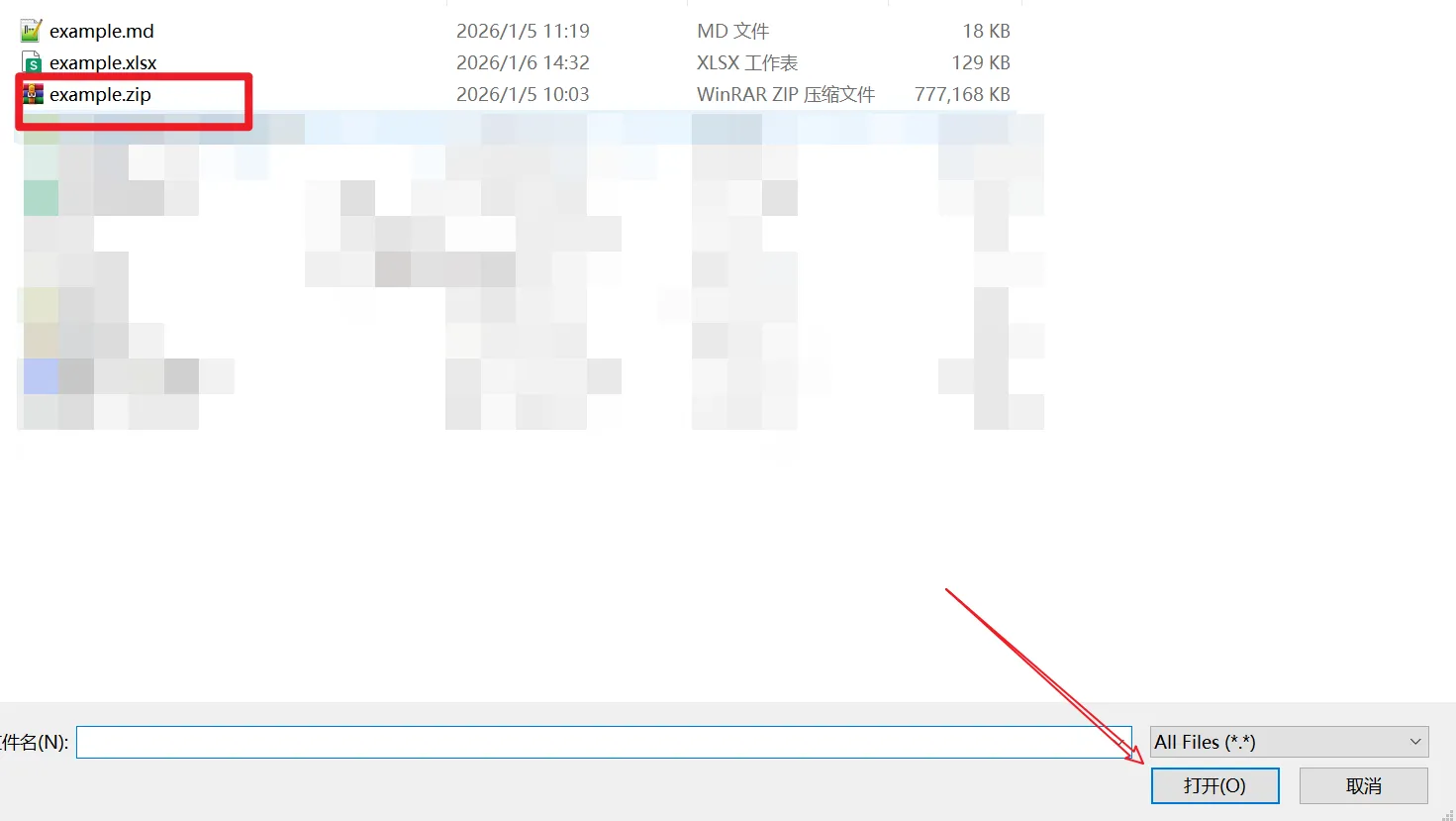
Go to our homepage and upload your file in one of these ways:
- •Click to browse: Click the upload area and select your file from the file picker
- •Drag and drop: Drag your ZIP file from your computer and drop it onto the upload area
Explore ZIP Contents
Your file will be processed instantly and displayed with:
- ✓Complete file and folder structure visualization
- ✓File sizes and compression ratios displayed
- ✓Navigate through folders with expandable tree view
- ✓Preview supported file types directly in browser

Conclusion
Opening ZIP files online doesn't require any software installation or complex procedures. Whether you need to quickly check the contents of a downloaded archive, verify file structure, or preview included documents, our online ZIP viewer provides a convenient and secure solution.
Our platform ensures you can explore your ZIP archives instantly while maintaining complete privacy and security. No software to download, no accounts to create—just simple, fast file viewing when you need it. Perfect for situations where you don't have access to a compression tool or when you need to quickly inspect ZIP contents on any device.